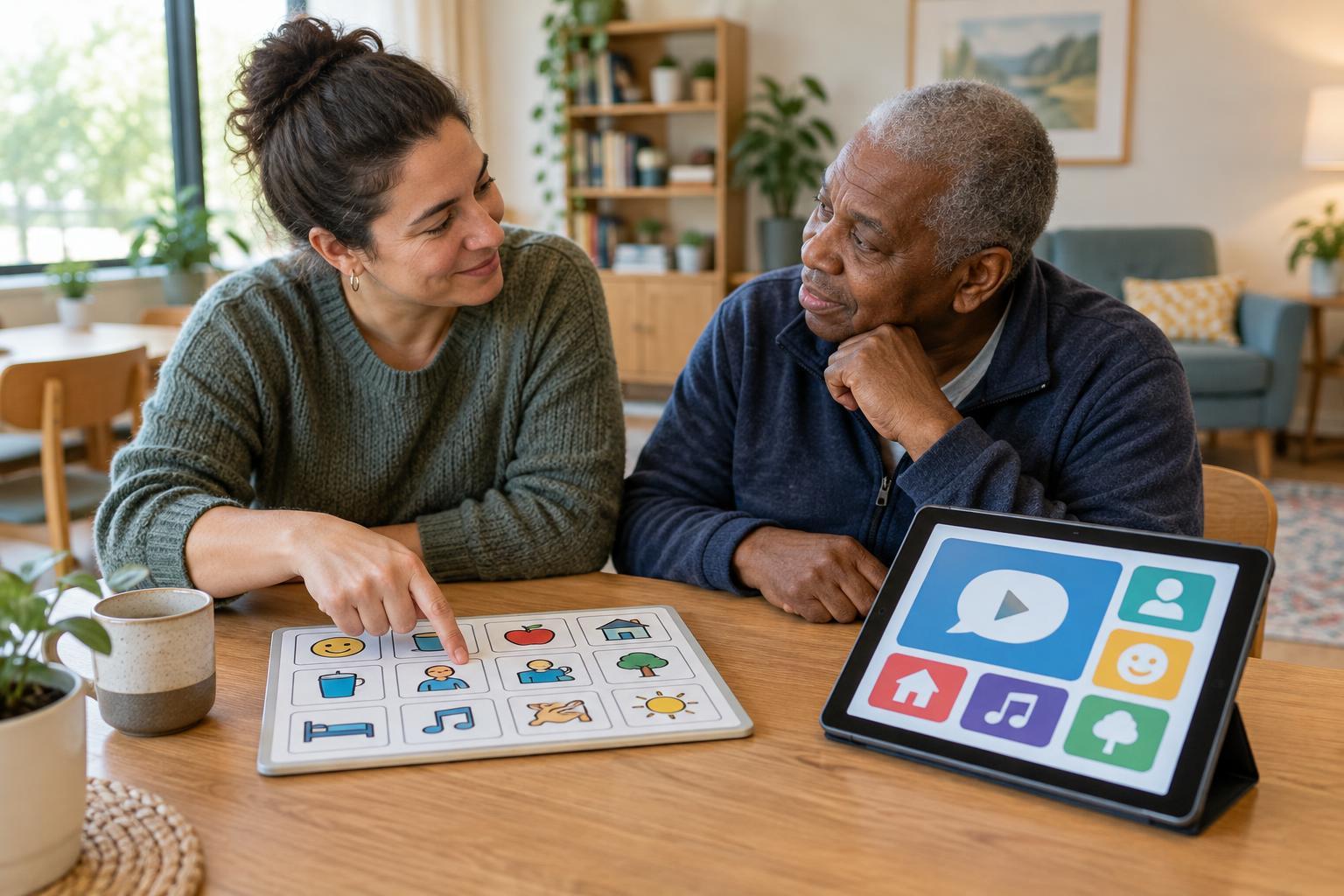
Two ways to make a message understood
A communication board is a surface with words, pictures, symbols, letters or other choices that a person can select to share a message. It might be a printed sheet, a small booklet or a board displayed on a screen. The person may point, look toward a choice or use another agreed method to indicate what they mean. A partner then reads or confirms the selection.
A text-to-speech tool turns written text into spoken audio. Someone might type a sentence on a phone, tablet or computer and press a button to have it read aloud. Some communication apps also speak when a person selects a word or symbol. The distinction is useful, but the categories can overlap: a digital communication board may include speech output.
Neither option is a universal substitute for conversation. Both work best when the person using them can shape the message, has enough time to respond and knows that others will pay attention.
How communication boards work in everyday spaces
Boards can make common choices quick to find. A board used during an appointment might include “I have a question,” “Please explain that again,” “I need a break” and “I’m not sure.” A board for a shared room might focus instead on comfort, activities or where someone wants to go. A simple board can be inexpensive to reproduce and does not need charging or a network connection.
The limits are largely about what is available on the board and how easy it is to select. A small sheet may support fast, familiar messages but leave little room for an unexpected thought. Adding more choices can increase flexibility while making the layout harder to scan. Print size, contrast, spacing, language and placement all affect whether a board is usable.
A communication partner should avoid treating a selection as a guess to be completed on someone else’s behalf. Offering time, checking what was selected and making room for “something else” can help keep control of the message with its author.
What text-to-speech adds—and what it requires
Text-to-speech can offer more open-ended expression. A person who can enter text may compose a specific question, correct a misunderstanding or save a phrase they expect to use again. Spoken output can be helpful when the listener cannot easily see a screen, or when a person wants their message heard by more than one person.
It also brings practical requirements. Typing may be slow or tiring, and a touchscreen is not accessible to everyone. Voice volume, speech rate, pronunciation and the ability to edit before speaking can affect how well a tool works in a busy room. Batteries, device availability and background noise matter, too. Some tools work without an internet connection, while others may depend on one; that is worth checking before relying on a particular setup.
Because a device may display or retain personal messages, think about who can see the screen, hear the audio or access saved text. Privacy is not only a settings question: it also depends on where and when the tool is used.
Choosing by task, not by technology
The most useful comparison starts with the situation. For a handful of repeated choices, a well-designed board may be faster than composing a sentence. For a detailed or unexpected message, text-to-speech may offer more freedom. If a person has difficulty reading small text, typing or making a precise selection, either option may need a different layout or access method.
Consider how the person prefers to communicate, rather than choosing the most elaborate tool on offer. Can they find the messages they want? Can they say no, change their mind and introduce a new topic? Can the tool be reached from their usual position? Does it work in the languages and settings they use? Trying a small set of real tasks together can reveal more than comparing feature lists alone.
It can be useful to keep more than one option available. A printed board can serve as a backup when a device is unavailable, while a text-to-speech tool can handle messages that do not fit on the board. The aim is a dependable route to expression, not a single perfect product.
Making communication a shared practice
Even a carefully chosen tool can fail if other people rush, interrupt or do not know how to respond. Agree on a simple routine: make the board or device available, give the person time to use it, listen to the full message and confirm only when needed. If a choice is unclear, ask rather than assume.
Review the setup as routines change. A board may need new words; saved phrases may become less useful; a device may need a better place to rest or charge. Invite the person using the tool to guide those changes wherever possible. Clear communication depends as much on responsive partners and accessible surroundings as it does on the board or voice that carries the words.